Use the rating on your website
The Accessibility Rating is free for any accommodation website, letting agent, housing association or holiday-let host. Show the badge, link to the standard, and give disabled people the same honest information everywhere.
1. Preview a badge
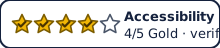 ← the image version your site would show
2. Copy the badge code
<a href="https://inclurentals.com/rating" aria-label="Accessibility Rating 4 out of 5, Gold, evidence verified. Learn about the rating.">
  <img src="https://inclurentals.com/badge/4-gold.svg" alt="Accessibility Rating 4 out of 5, Gold, evidence verified" width="220" height="48">
</a>
3. Mark up your listings for search engines (optional)
Add this structured data to each listing page so Google and others understand the rating. Use the same feature names as the standard.
{
  "@context": "https://schema.org",
  "@type": "Accommodation",
  "name": "Ground-floor flat with wet room",
  "url": "https://your-site.example/listing/123",
  "aggregateRating": {
    "@type": "AggregateRating",
    "name": "Accessibility Rating (Gold)",
    "ratingValue": 4, "bestRating": 5, "worstRating": 0, "ratingCount": 1
  },
  "amenityFeature": [
    { "@type": "LocationFeatureSpecification", "name": "Level-access shower", "value": true },
    { "@type": "LocationFeatureSpecification", "name": "Doors at least 850 mm clear width", "value": true }
  ]
}Rules for using the badge
- Only show a Gold badge for a home whose proof has been approved through IncluRentals or IncluRentals. Silver may be self-declared if every Silver criterion is met.
- Always keep the words in the badge: never colour alone.
- Link the badge to the rating page so people can see what the stars mean.
- Agents and portals who want to send listings automatically: get in touch about a data feed.